
Ai Content Generator
Ai Picture
Tell Your Story

 maddy anaa
Common Mistakes to Avoid When Using a Shirt Printing Machine
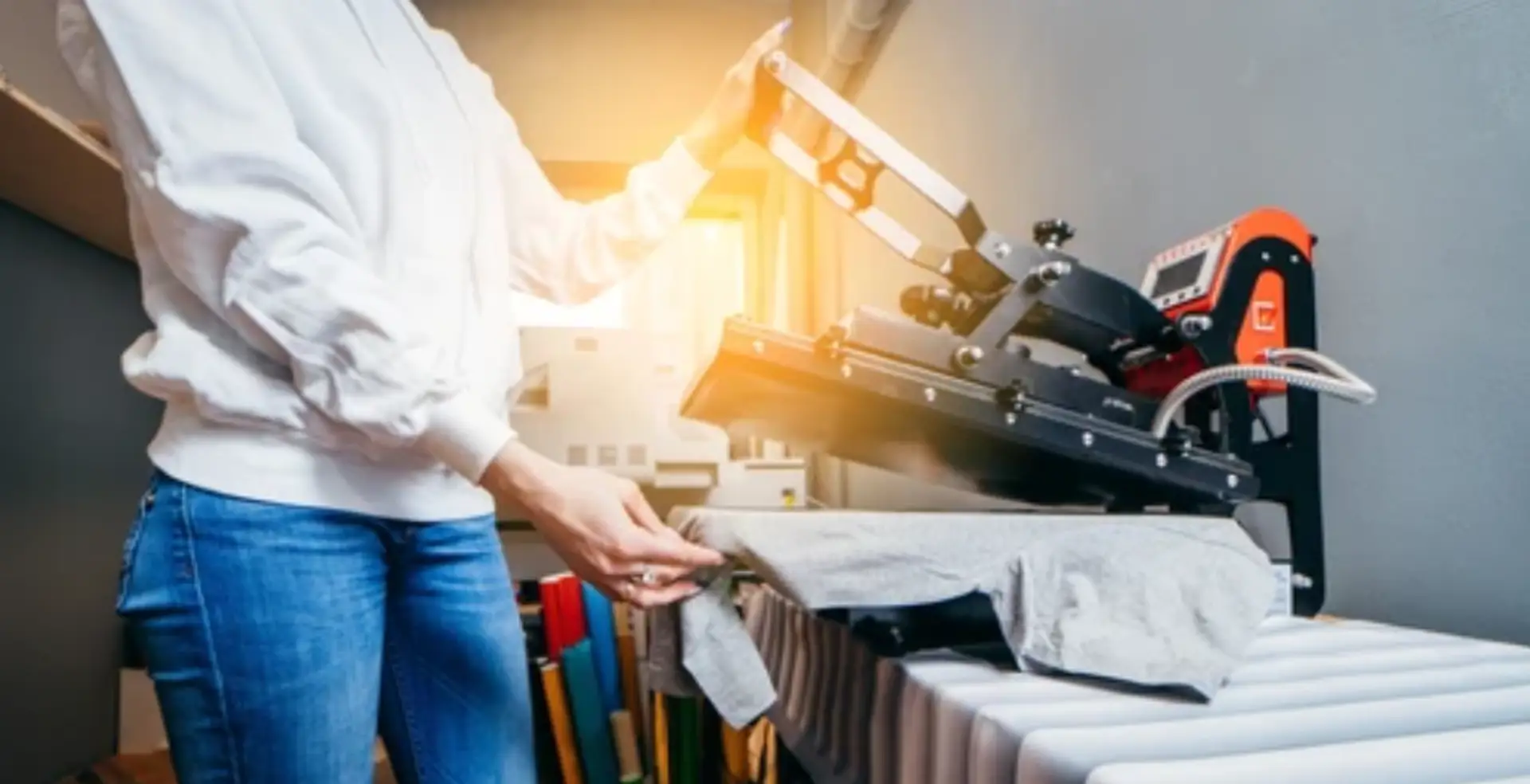
Shirt printing machines are powerful tools for creating custom apparel, but like any specialized equipment, they come with their own learning curve. Whether you’re new to the world of shirt printing or looking to refine your process, avoiding common mistakes can help you achieve professional-quality results while saving time, money, and frustration. In this article, we’ll discuss some of the most common mistakes to avoid when using a shirt printing machine and how to ensure you get the best results every time.
Using the Wrong Type of Fabric
One of the most common mistakes when using a shirt printing machine is selecting the wrong type of fabric. Not all fabrics are suitable for every type of printing method. For example, Direct-to-Garment (DTG) printing works best on 100% cotton shirts, while sublimation printing is ideal for polyester fabrics.
How to avoid it: Always make sure that the fabric you’re using is compatible with the type of printer and printing method you’ve chosen. Read up on the best materials for different printing methods and test on small samples before committing to large orders.
Ignoring Printer Maintenance
Regular maintenance of your shirt printing machine is crucial for ensuring smooth operation and consistent quality. Skipping maintenance can lead to clogs, misprints, or even breakdowns, resulting in costly repairs or downtime.
How to avoid it: Follow the manufacturer’s recommended maintenance schedule for cleaning and inspecting your machine. For example, DTG printers require frequent head cleaning to prevent ink clogs, while heat press machines need regular calibration to maintain optimal performance.
Not Pre-Treating the Shirt Properly (for DTG Printing)
Pre-treatment is essential when using Direct-to-Garment (DTG) printing, especially on dark shirts. Failing to pre-treat your shirt properly can lead to poor print adhesion, uneven colors, or prints that wash out quickly.
How to avoid it: Always apply a pre-treatment solution to your shirt before printing. Ensure the pre-treatment is applied evenly, and allow it to dry completely before printing. This ensures that the ink bonds well with the fabric and gives your design a vibrant, long-lasting finish.
Overloading the Printing Machine
While shirt printing machines are designed for efficiency, overloading the machine with too many shirts or trying to print complex designs without proper preparation can lead to smudging, misalignments, and poor-quality prints.
How to avoid it: Always follow the manufacturer’s recommended capacity for your printing machine. If you’re using a heat press or vinyl cutting machine, ensure that the material is properly aligned and that you’re not pressing too many items at once. For DTG printing, ensure your printer has enough ink and that it’s set up for the design you’re printing.
Incorrect Temperature or Pressure Settings (for Heat Press Printing)
In heat press printing, improper temperature or pressure settings can ruin your design or even damage the shirt. Too much heat can cause the fabric to burn, while too little can prevent the design from adhering properly.
How to avoid it: Always double-check your temperature and pressure settings before printing. Invest in a heat press machine that allows you to set the correct temperature and pressure for each material. Perform test prints on scrap fabrics to adjust the settings for the best results.
Not Using High-Quality Designs
The quality of your print is directly affected by the quality of your design. Using low-resolution images, pixelated logos, or files that aren’t compatible with the printing machine can result in blurry, distorted, or poorly executed prints.
How to avoid it: Ensure that your designs are high-resolution (preferably 300 DPI) and saved in the correct file formats (such as PNG, TIFF, or vector formats like AI or SVG) for the printing method you’re using. This ensures crisp, clear prints every time.
Skipping Color Calibration
If your printer isn’t calibrated correctly, the colors on your printed shirts may not match the colors you see on your design screen. Color shifts or discrepancies are common when the printer’s color profile isn’t set up correctly.
How to avoid it: Regularly calibrate your printer to ensure the colors match the design as closely as possible. You can do this through the printer’s software or by using a color calibration tool. Make sure to do test prints on similar fabrics to get the right color output.
Not Allowing Enough Drying or Curing Time
After printing, it’s essential to allow adequate time for the ink or transfer to cure properly. Rushing the process can result in prints that are prone to smudging or washing out.
How to avoid it: Be patient and allow your shirts to fully dry or cure before moving to the next step. For DTG printing, use a heat press or curing oven to set the ink. For sublimation or heat transfer, make sure to let the design cool down before handling.
Using Incompatible Inks or Transfers
Using the wrong ink or transfer paper for your machine can cause the print to fade, crack, or not adhere to the shirt at all. For example, DTG printers require specialized textile inks, while sublimation printing needs sublimation ink and transfer paper designed for polyester fabrics.
How to avoid it: Always use the recommended inks, transfer papers, or materials for your specific printer and printing method. This ensures the longevity and quality of your prints and prevents damage to the machine.
Not Testing Designs Before Full Production
One of the biggest mistakes in shirt printing is jumping straight into a large production run without testing your designs first. This can lead to wasted materials, time, and money if there are issues with the print quality.
How to avoid it: Always print a test run before committing to a large batch. This allows you to check for any design, color, or print issues and adjust settings as needed. Running a sample can save you from costly mistakes and ensure the final product meets your expectations.
Ignoring the Importance of Proper Shirt Sizing and Alignment
Misalignment or improper placement of the design on the shirt is a common issue, especially when you’re printing multiple shirts. It can make your designs look unprofessional and inconsistent.
How to avoid it: Use alignment tools and templates to ensure that each shirt is printed in the correct location. Many heat presses and DTG machines come with built-in alignment guides, so make use of them to ensure your prints are positioned correctly every time.
Conclusion
Using a shirt printing machine offers endless opportunities for creativity and business growth, but avoiding common mistakes can make all the difference between a high-quality product and a failure.
By paying attention to factors like fabric choice, printer maintenance, pre-treatment, design quality, and color calibration, you can ensure that every print is a success. Take the time to test, adjust, and refine your process—your customers (and your business) will thank you for it.
Related Posts
© 2025 Invastor. All Rights Reserved
User Comments